

 Follow us
 Follow us
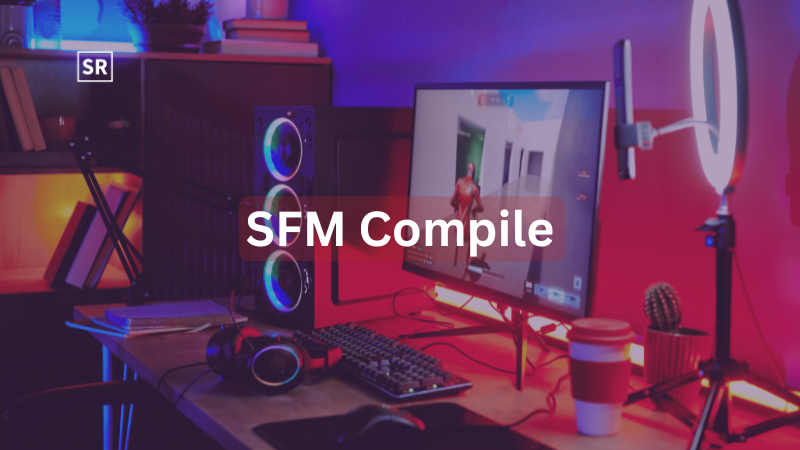
Source Filmmaker is a tool that helps turn game assets into movie-like animations. It gives creators control over lighting, characters, and camera angles making it popular for creating cinematic scenes from game content. An important part of using it is the SFM compile process. This step prepares custom 3D models so they can work properly in the software. Models made in programs like Autodesk Maya or Blender cannot be used directly. They must first be converted into a format that works with the Source Engine.
This process makes sure the model is optimized and that textures, animations and structure are set up correctly. If you skip this step or do it wrong, the model may not load or could appear broken. When done correctly, the compile process makes everything run smoothly. It helps you import and use models easily, saves time and reduces errors making your animation work faster and more professional.
SFM Compile
SFM Compile refers to the technical process of preparing and converting custom 3D assets so they can be properly used inside Source Filmmaker. Since SFM runs on the Source Engine it cannot directly read raw files created in external 3D modeling tools like Autodesk Maya or Blender. Instead, those assets must go through a structured compilation pipeline that converts them into engine-compatible formats such as MDL (model files), VTF (texture files) and VMT (material files).
This process involves optimizing geometry, assigning proper materials, setting up textures, configuring rigging and animations and ensuring correct file paths and structure. Without compilation, models may fail to load, appear broken or lack functionality the software. When done correctly, SFM Compile ensures that assets work smoothly within the environment, enabling creators to animate, render and manipulate them efficiently while maintaining performance and visual quality.
Vital Software for SFM Compile
Studiomdl Command-Line Utility - Valve Corporation developed studiomdl.exe as the main tool used for compiling models. It is located in the bin folder of your Source Filmmaker installation. Users run command-line instructions through a terminal to compile models using specific parameters. This process relies on QC script files, which are then converted into compiled MDL assets that the Source Engine can understand.
- Crowbar Compilation Tool - Crowbar is a user-friendly graphical tool that simplifies the compilation process. Instead of manually typing commands, it allows users to compile models through an interface while providing visual feedback. It is especially useful for batch processing multiple models quickly and efficiently.
- 3D Creation Software - Blender is widely used in SFM workflows due to its powerful features, large plugin ecosystem and free availability. Paid alternatives like Autodesk Maya and Autodesk 3ds Max are also popular in professional environments offering advanced tools but at a higher cost.
- Text Editor Requirements - Notepad++ is commonly used by creators because it offers features like line numbering and syntax highlighting. These tools make it easier to write and debug QC scripts which are essential for the compilation process.
SFM compile futa
SFM compile futa isn’t a standard or official technical term within Source Filmmaker workflows. It usually appears in niche or community contexts, where “SFM compile” refers to the process of preparing and converting 3D models so they work inside the Source Engine. The added word “futa” is not related to the compilation process itself; instead, it typically points to a specific type of model, theme or content category being used by creators. In practical terms, the core idea remains the same any custom model, regardless of its theme, must go through proper compilation (using QC scripts, textures and rigging setup) to function correctly in SFM. Without this process, models won’t load properly or may appear broken.
- “SFM compile” = converting 3D models for use in SFM
- “Futa” refers to a specific content/theme, not a technical process
- Compilation ensures models work correctly in the Source Engine
- Requires proper QC scripts, textures, and rigging
- Skipping compilation leads to broken or non-loading models
SFM Compile Process Steps
Asset Preparation
Before compiling, models should be optimized for performance ideally keeping polygon counts under about 60,000 triangles. Bone structures must follow the conventions of the Source Engine to ensure proper animation. Physics collision models and the main mesh are usually exported as separate SMD files.
It’s also important to verify texture paths before compiling. Missing or incorrect materials often result in the well-known purple-and-black checkerboard pattern in Source Filmmaker.
Creating QC Files
QC scripts define how the asset behaves during compilation. These scripts use specific commands to control different aspects of the model:
| QC Command | Function |
| $modelname | Sets the output file name and location |
| $body | Refers to the main mesh (SMD file) |
RECOMMENDED FOR YOU

Droven io: Powering Smart Digital Innovationdroven io ai automation tools
Devin Jacobs
May 5, 2026

IronMartOnline Reviews 2026: Genuine User Feedback, Ratings and Complete Buying Guide
Devin Jacobs
May 1, 2026

25.7.9.zihollkoc: Future-Ready Identifier Transforming Digital Systems
Devin Jacobs
Mar 24, 2026
| $cdmaterials | Specifies the folder for textures |
| $sequence | Defines animation settings and frame ranges |
| $collisionmodel | Configures the physics mesh properties |
Adding comments in QC files helps avoid confusion later and ensuring correct file paths prevents most compilation errors.
Running the Compiler
If you’re using the command-line method, navigate to the bin folder where studiomdl.exe is located. Run the command with the QC file path as input. The terminal will display progress updates and any errors.
Alternatively, tools like Crowbar provide a simpler graphical interface. Users can select QC files and compile models while viewing logs in real time making it a popular choice for beginners.
Result Verification
After compilation, test the model in Source Filmmaker. Open the software, locate the model in the asset browser and place it into a scene. Check for issues such as broken animations (bone weight problems), missing textures or incorrect physics behavior. Most common problems have well-documented fixes within the SFM community making troubleshooting easier.
Right Practices for SFM Compile
Keep your project folders well organized by separating materials, models, and script files. Maintaining clear documentation of your setup can save a lot of time in future projects.
Start with simple models before moving on to more complex characters. Test your work after each major change so you can easily identify and fix issues early. You can also learn by examining existing professional assets through decompilation.
Understanding file comparison techniques can help when debugging QC scripts. Using version control tools is also useful as they track changes across different stages of your project and make it easier to manage updates.
Errors of SFM Compile
Missing texture paths often result in the familiar purple-and-black checkerboard pattern on model surfaces. Incorrect scaling can make assets appear invisible in the viewport while rigging issues may stop character bones from moving or posing correctly. In some cases, faulty compilation can even cause Source Filmmaker to crash when loading assets. Each of these problems requires a specific troubleshooting approach usually guided by the compiler’s output messages.
Learning how to use basic terminal commands can make it much easier to identify and fix compilation errors. Log files are especially helpful as they provide detailed information and often point directly to the problematic lines in QC scripts. It’s also important to remember that not all issues come from the scripts themselves. Sometimes, compilation failures are caused by common technical problems like storage limitations or temporary system glitches so it’s worth checking those factors early in the process.
SFM Compile Techniques
For more advanced workflows, experienced creators go beyond basic compilation and use a range of optimization and automation techniques to improve both performance and visual quality. One common approach is implementing Level of Detail (LOD) systems which create multiple versions of a model with varying complexity. This helps maintain smooth performance by displaying lower-detail versions when objects are farther away. They also make use of facial flexes which enable detailed facial expressions and more realistic character animation. On the visual side, custom shader parameters are often applied to enhance how materials look improving lighting, reflections and surface details Source Filmmaker.
To handle larger projects efficiently, many creators rely on batch processing scripts that can compile multiple models in sequence, saving significant time and effort. Integrating programming tools like Python allows automation of repetitive tasks such as file organization, compiling and testing. These advanced techniques require more than just basic knowledge of the compilation process. They often involve scripting, coding and a deeper understanding of how the Source Engine works, making them more suitable for experienced users aiming to streamline and scale their workflow.
SFM Compile Workflow for Beginners
Start with SFM Compile - Getting started with SFM Compile can feel overwhelming if you don’t have a clear entry point. Breaking the process into a well-organized sequence helps reduce confusion and builds confidence from the beginning.
- Begin with a Simple, Low-Polygon Model - For your first attempt, avoid complex character rigs. Instead, use a basic prop or static object with a single texture. This creates a clean learning environment where you can focus on QC scripting and compiler output without dealing with animations or bone structures.
- Install and Organize Your Tools First - Before working on any model, make sure everything is ready studiomdl.exe, Crowbar, and a text editor like Notepad++. Switching between setups can disrupt your workflow and lead to avoidable mistakes. An organized workspace makes each step easier to manage.
- Create One QC File Manually - Although Crowbar can auto-generate QC files, writing one manually at least once helps you understand how each command works. Knowing what $body, $modelname, and $cdmaterials do makes troubleshooting faster and more effective later.
- Compile, Test and Repeat - Don’t wait until everything is perfect before compiling. Compile early, load the model into Source Filmmaker, check the results, and fix issues as they appear. Short testing cycles make it easier to catch and trace errors.
- Use Decompiled Models as Reference - Models from Valve Corporation can be decompiled using Crowbar. Studying these professionally made QC files gives you a reliable reference and helps you understand best practices instead of guessing from scratch.
Conclusion
SFM Compile is a key part of working in Source Filmmaker. It acts as a bridge that turns raw 3D models into usable files inside the Source Engine. This process is not just one click it requires proper setup, including correct texture paths, well-written QC scripts and understanding the compiler output. Small mistakes like missing textures, wrong file paths or script errors can cause problems during compilation. The good thing is that the compiler gives clear messages that help you identify what went wrong. Learning how to read these messages makes it much easier to fix issues and improve your workflow. Keeping your folders organized, using clear naming and testing your models regularly can prevent many common errors. Frequent testing also helps you catch problems early so they are easier to fix. Learning SFM Compile helps you unlock the full potential of Source Filmmaker. It allows you to import, edit and animate your own models smoothly, leading to better and more professional results.
FAQs
What is SFM Compile?
Why is compilation required?
What is a QC file?
Can beginners learn SFM Compile easily?
What is the benefit of mastering SFM Compile?
Recommended Stories for You

Devin Jacobs May 27, 2026

Devin Jacobs Mar 30, 2026

Devin Jacobs Jun 27, 2026

Devin Jacobs Apr 2, 2026

Devin Jacobs Mar 26, 2026

42 Dugg Height: Understanding the Rapper’s Stature and Influence in the Music Industry
Devin Jacobs May 25, 2026
Trending Stories

Webitbgroup com: A Complete Guide and SEO Analysis
PlayBattleSquare Gaming Blog: Tips, Reviews and Strategies for Every Gamer
Is Advertising FeedBuzzard the Future of Digital Advertising?

Billy Carson Net Worth and Biography

How a Collaborative CRM System Improves Communication and Efficiency?
Ramtin Abdo: Deep Dive into His Business Success and Private Life

Pressvibepulse Com Review: Features, Safety, and User Experience

Abraham Quiros Villalba: Inspiring Journey of a Forward-Thinking Visionary Innovator

